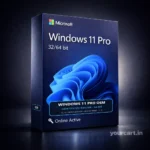
Activation Guide
Step-by-step instructions to activate your software.
How to Activate Windows 10/11
Open Settings
Click on the Start Menu and select the Gear icon (Settings), or press Win + I.
Navigate to Activation
Go to Update & Security > Activation.
Enter Product Key
Click on Change Product Key and enter the 25-digit code sent to your email.
How to Activate MS Office
Go to setup.office.com
Open your browser and visit the official Microsoft setup page.
Sign In
Log in with your Microsoft Account. If you don’t have one, create it.
Redeem Key
Enter the product key without hyphens. The system will auto-detect the product.
Download & Install
Click download. Once installed, open Word or Excel, and it will be activated automatically.
How to Activate Antivirus
Download Software
Download the official installer from the link provided in your email (e.g. McAfee, QuickHeal).
Run Installer
Install the software. Create an account if prompted.
Enter Activation Code
In the main dashboard, look for “Activate Subscription” or “Enter Key”. Paste your code.